Custom Repertoires Your Guests Can Search
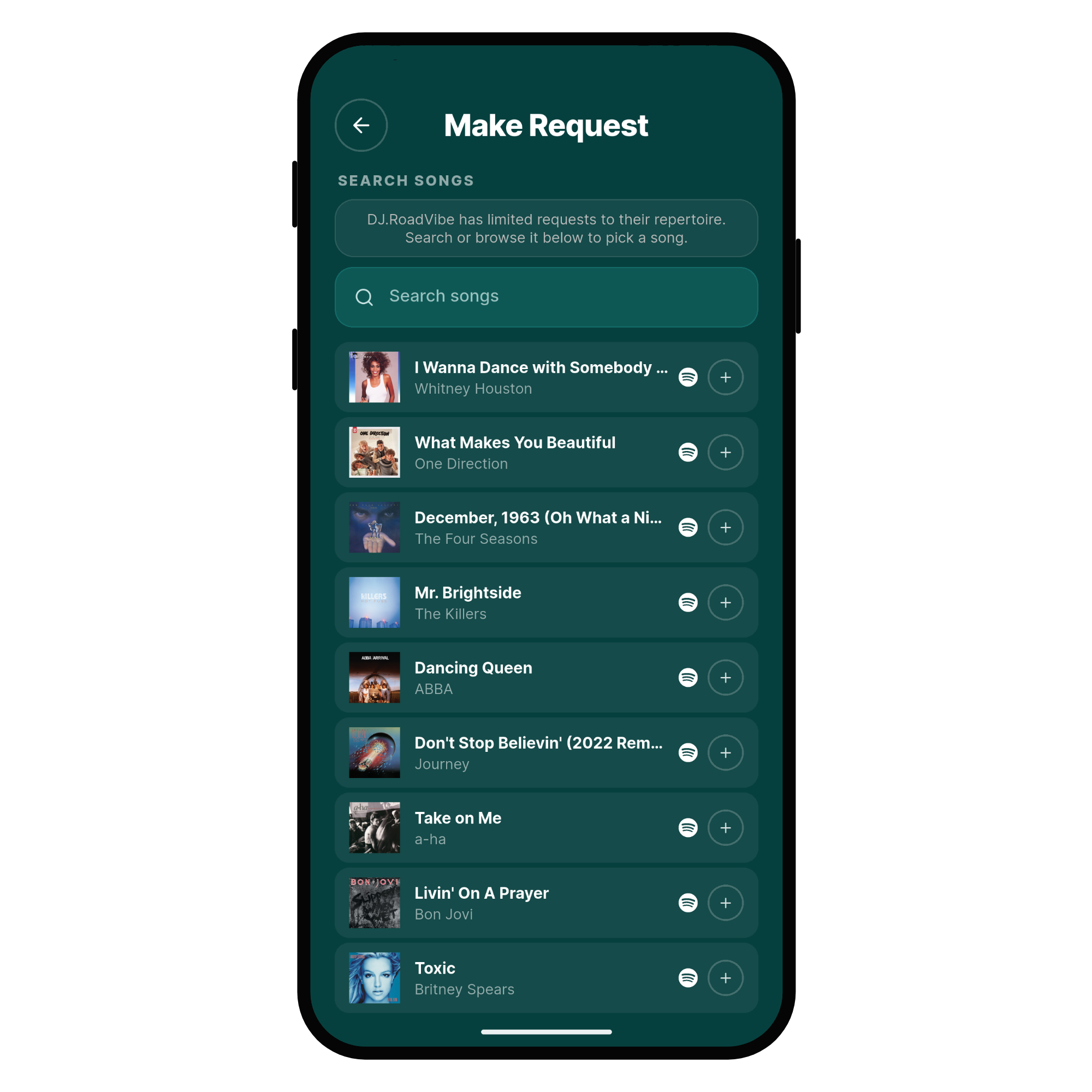
You could already limit requests to a single playlist, but your guests had to scroll the whole thing to find a song. Now you can build a custom repertoire inside Rekwest instead: fill it from as many playlists as you like, add songs by hand, and let your guests search it.
Your Guests Search Instead Of Scroll
Guests open your event, search for a track and see only what is in your repertoire. Nothing outside it can be requested, so every request that reaches you is for a song you know.
Browsing still works for guests who would rather look around, but nobody has to scroll a few thousand songs to the bottom any more. A repertoire stays usable however big it gets.
Build It From Playlists, Or Song By Song
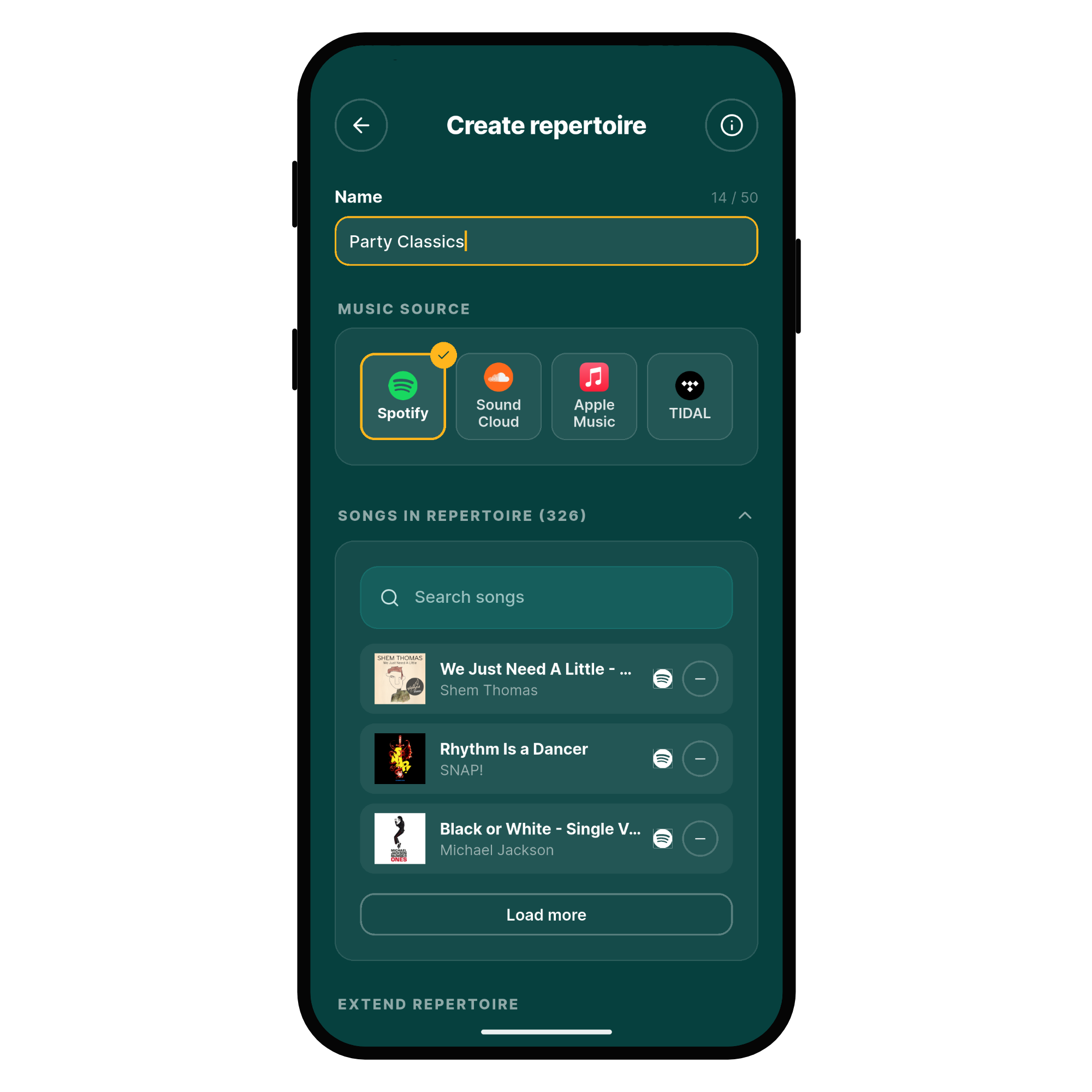
Open Settings and then Repertoires to create one. Import playlist loads everything from a playlist on Spotify, SoundCloud, Apple Music or TIDAL, and you can import as many as you want into the same repertoire. Songs that are already in it are skipped, so overlapping playlists cause no duplicates.
Add song puts a single track in by hand, for the ones none of your playlists cover. Take out what you no longer play, load a playlist in again when it changes, and reuse the same repertoire at every event you run.
One Option When You Create An Event
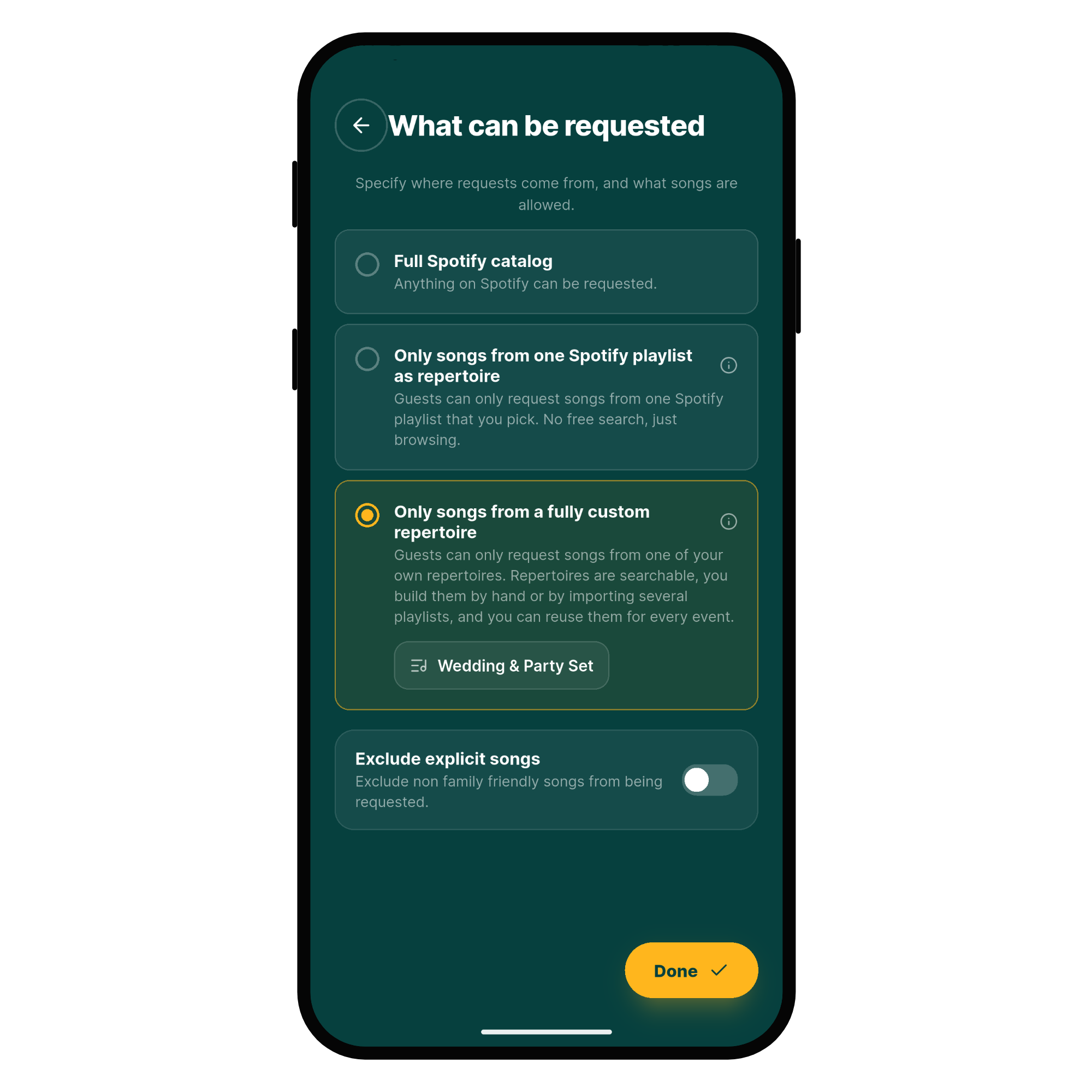
In the event you are creating or editing, open What can be requested and choose Only songs from a fully custom repertoire. Pick one of your own repertoires, and the event is limited from that moment on.
The option you already knew stays exactly where it was: an event can still be limited to one playlist on your music platform, and it follows that playlist automatically. A custom repertoire is the searchable one, built out of as many playlists as you like and reusable at every event.
Get Started
Update your Rekwest app, open Settings and put your first repertoire together today. More details are in the repertoire documentation.